
Step 1
견적 요청
프로젝트명 입력 후 3D 파일 유무(YES/OR)를 선택합니다.

시제품부터 양산까지, 3D 프린터·CNC·사출성형 견적을 한 곳에서 비교하고 의뢰하세요.
다수의 파일에 대한 옵션을 동일하게 적용합니다.
FDM, SLA, SLS 등 주요 3D 프린팅 공정을 비교하고 바로 제작을 시작할 수 있습니다.
엠피니티(MPNITE)는 어바스 주식회사가 운영하는 온라인 제조 플랫폼입니다. 시제품 제작부터 소량 양산까지 3D 프린팅·CNC 가공·판금·사출 성형 등 다양한 제조 방식을 한 곳에서 비교하고 견적을 요청할 수 있습니다.
여러 업체에 따로 연락할 필요 없이, 하나의 플랫폼에서 제조 방식별 견적을 비교하고 최적의 방법을 선택하세요.
아이디어 검증을 위한 시제품 1개부터 양산 수천 개까지, 프로젝트 규모에 맞는 제조 파트너를 연결해드립니다.
FDM·SLA·SLS 3D 프린팅, CNC 절삭 가공, 판금 가공, 사출 성형 등 프로젝트에 맞는 최적의 공법을 안내합니다.
3D 프린팅과 제조 공정에 대한 최신 업데이트와 실무 인사이트를 제공합니다.
견적 요청부터 공정·장비 선택까지 한 번에 이어지는 제작 흐름입니다.
프로젝트명 입력 후 3D 파일 유무(YES/OR)를 선택합니다.
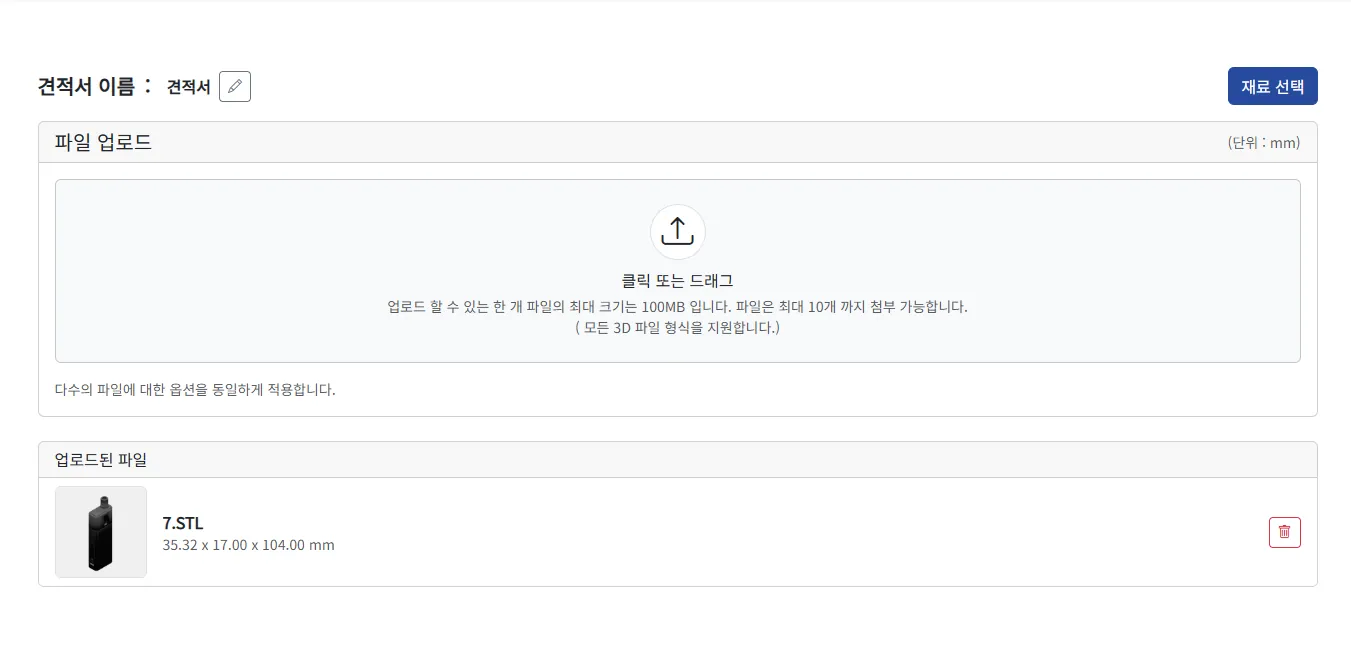
3D 파일을 업로드하고 업로드된 파일을 확인합니다.
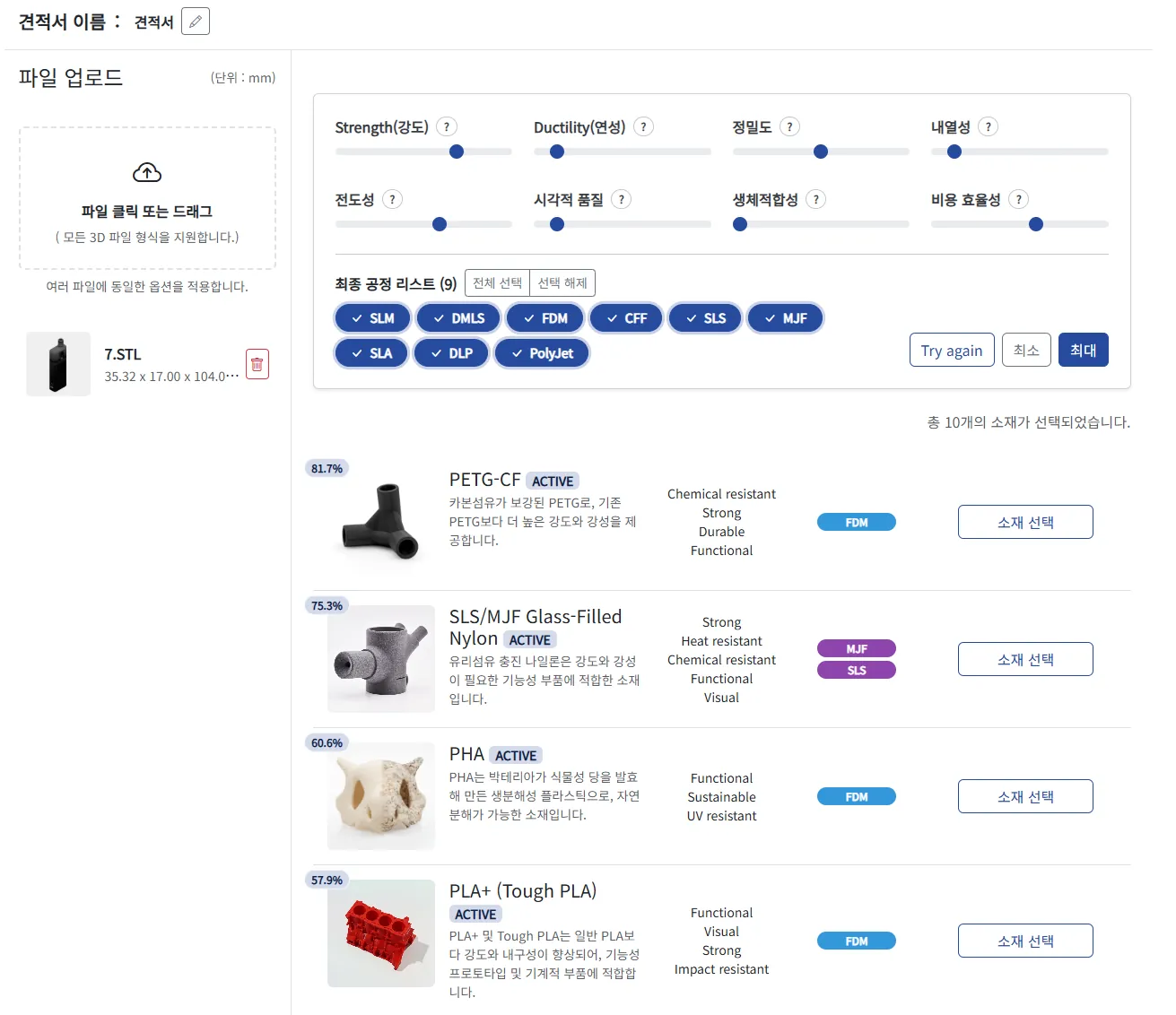
요구 조건을 선택하면 추천 소재/공정을 확인하고 소재를 선택합니다.
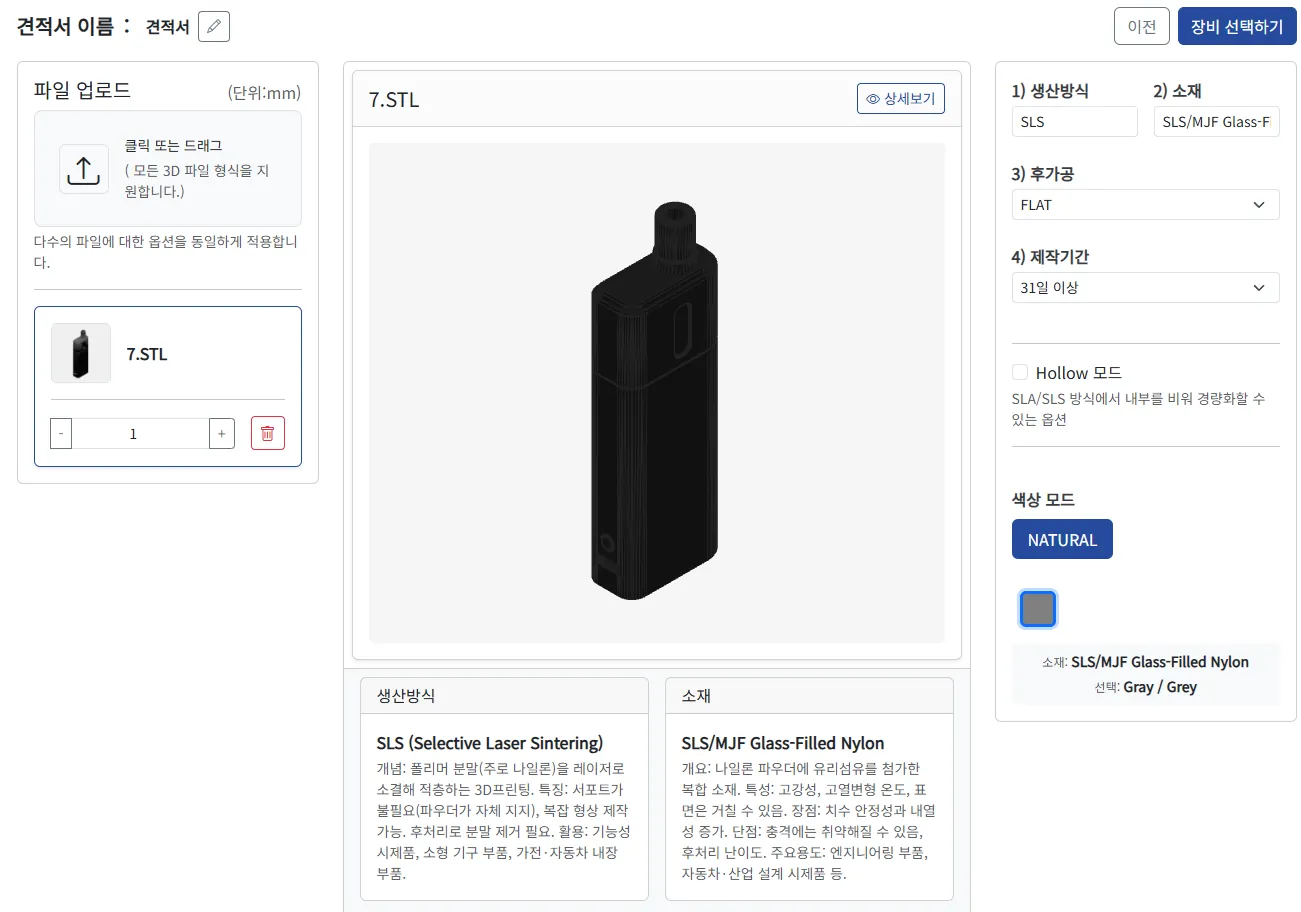
후가공·제작기간·색상 등 상세 옵션을 확정합니다.
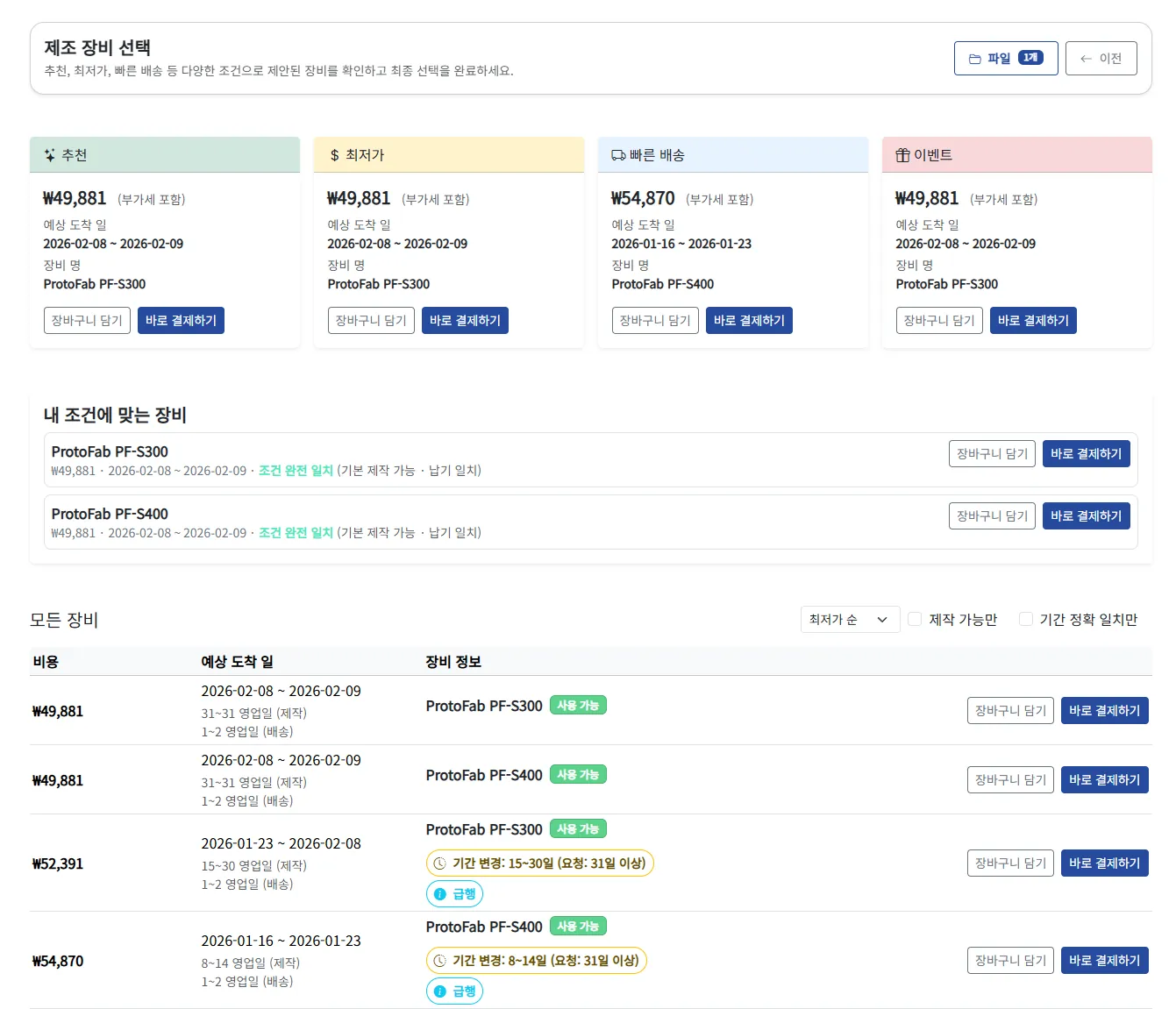
추천/최저가/빠른배송 기준으로 장비를 선택합니다.
안녕하세요, 회원님.
무엇을 도와드릴까요?
운영시간: 월-금, 10:00 ~ 18:00